To set the default language for your organisation, simply navigate to the Preferences tab on the portal, and click on the “Manage” button within the languages section.
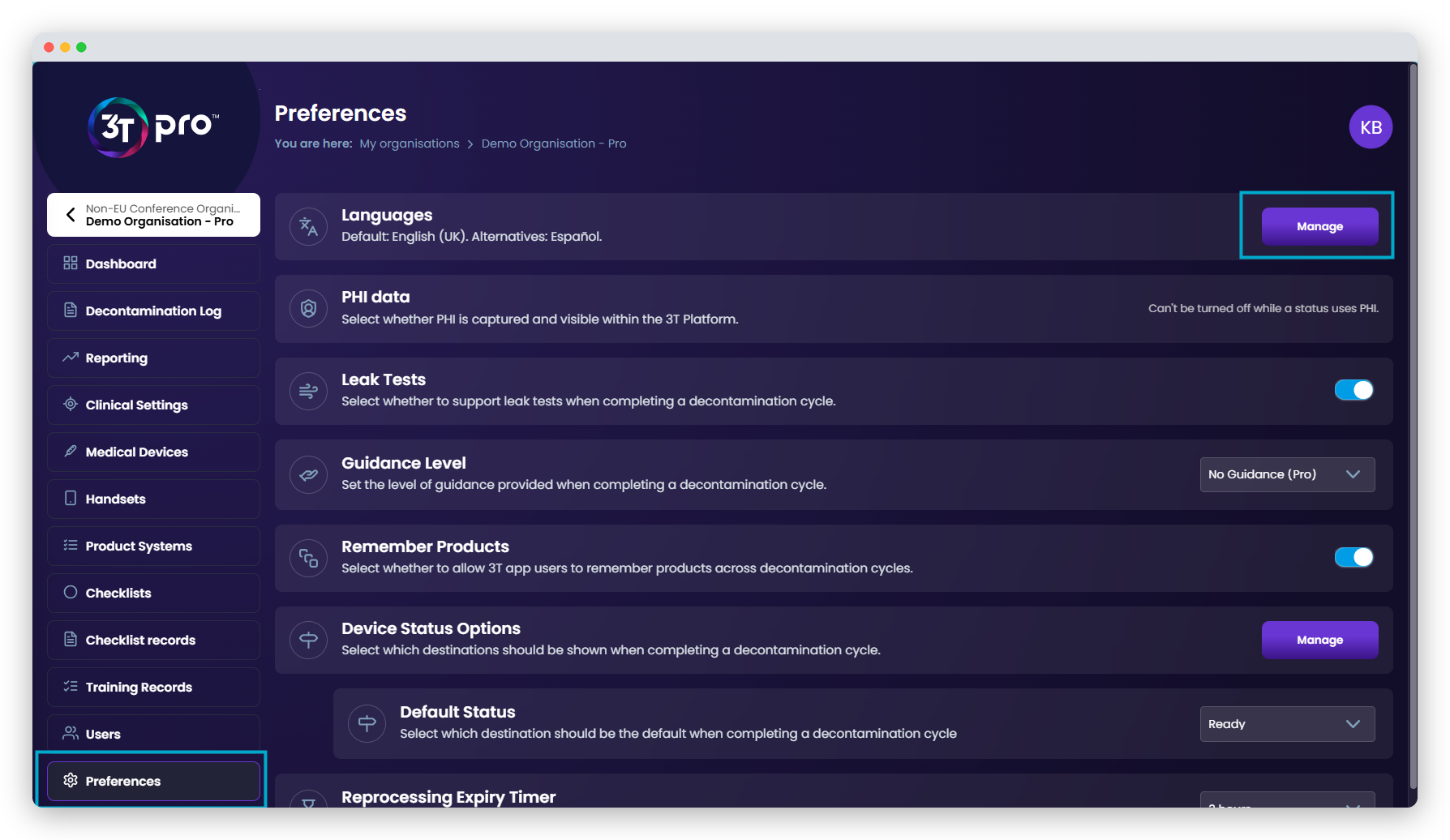
Here, both the default and alternative languages for your organisation can be set, from any language available in 3T. Only one language may be set as the default, but as many alternative languages may be set as needed.
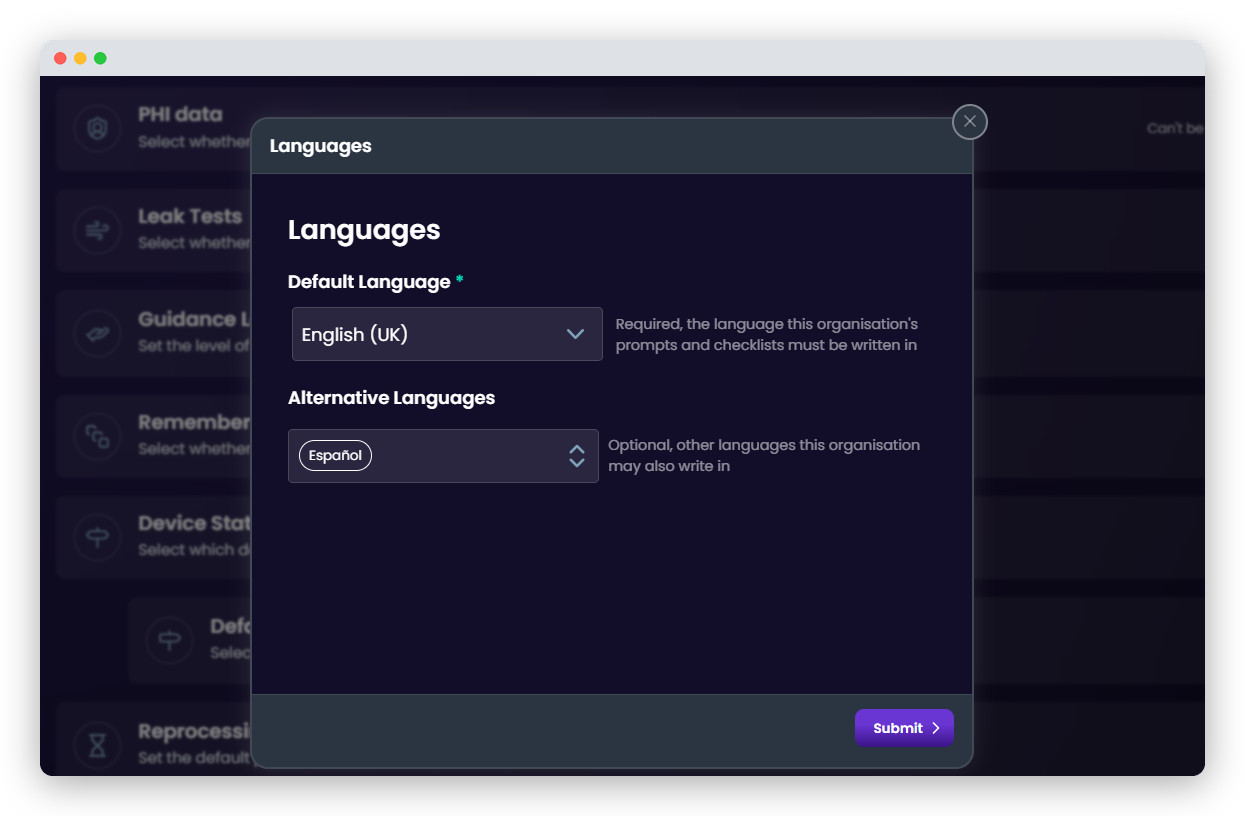
We recommend only adding the languages that are needed, as any user generated content you create within your organisation will require translations for the relevant language to be supplied.
Should any content not be translated into the languages a user is using, the portal and app will show that content in the organisation’s default language.
Was this article helpful?
That’s Great!
Thank you for your feedback
Sorry! We couldn't be helpful
Thank you for your feedback
Feedback sent
We appreciate your effort and will try to fix the article